
Work reports · from PLUS
Work reports on your phone, signed by the customer.
Record hours, materials and notes on site, let the customer sign on screen and turn the report into a QR invoice with one click.
- Swiss data protection (nFADP)
- Daily encrypted backups
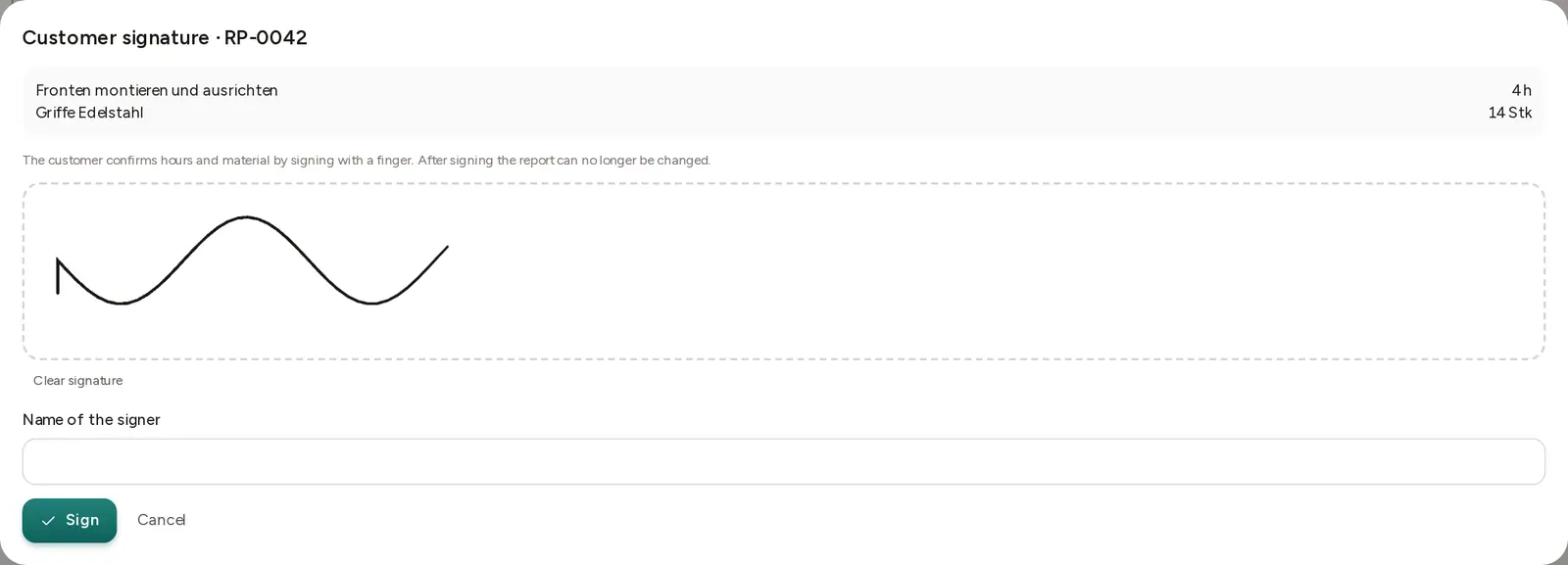
Hours and materials
Lines with quantity, unit and price, from your price list or entered freely.
Signature on site
The customer signs with a finger on phone or tablet; name and time are recorded.
PDF for both sides
The signed report is filed as a PDF and can be sent to the customer.
Invoice from the report
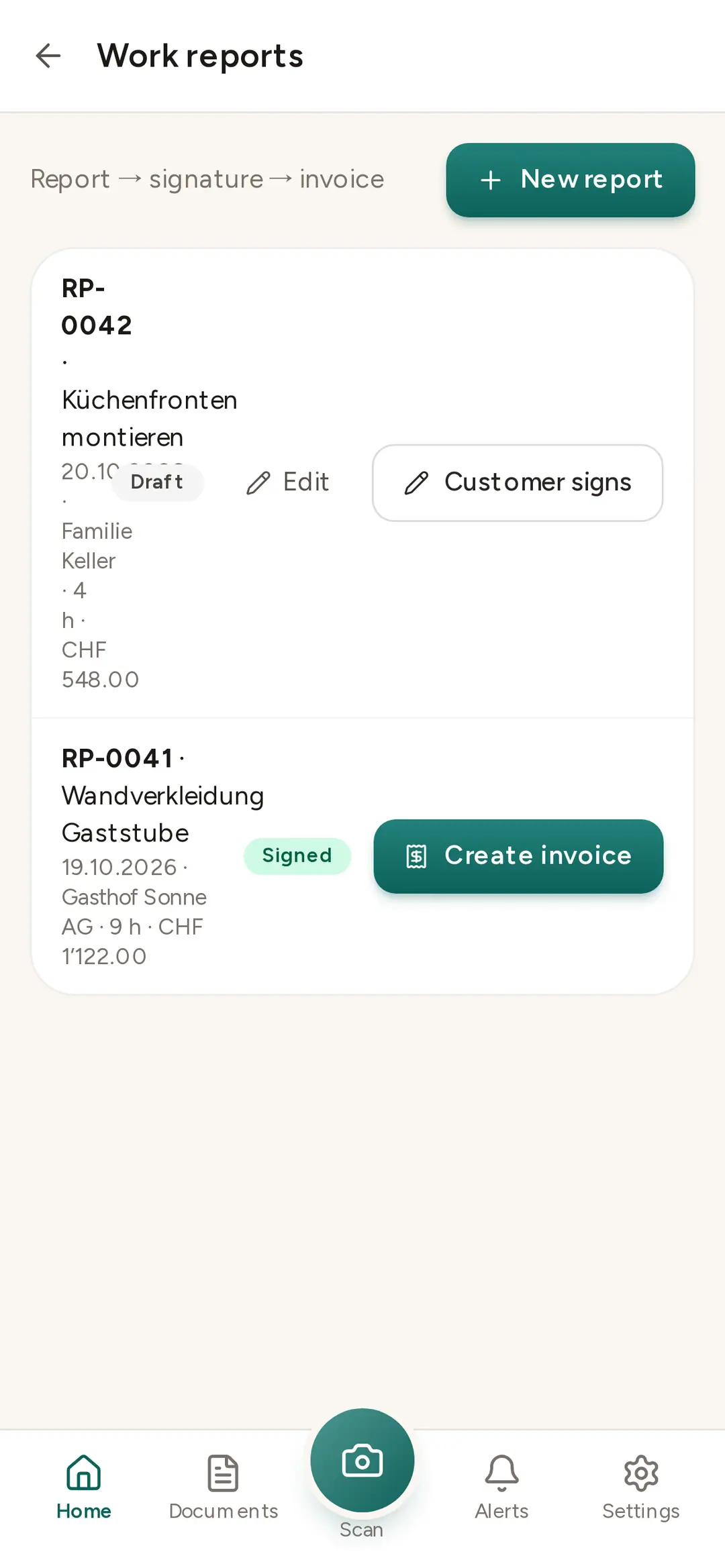
One click creates a draft invoice with all lines; you check it and send it as a QR invoice.
How it works
From job to invoice
No more retyping paper notes: what was recorded and signed on site becomes the invoice. Reports belong to the customer and, if you like, to a project.
- 1RecordCustomer, date, hours and materials in the app.
- 2SignThe customer confirms on screen.
- 3InvoiceDraft invoice in one click.
FAQ
Frequently asked questions
Does it work without internet?
The app keeps photos and receipts offline and sends them when the signal returns. Signature and PDF need a connection.
Is the signature legally valid?
It confirms the work done (name, time, signature image in the PDF). It is not a qualified electronic signature.
Which plan?
Work reports are part of sales and included from PLUS.
Less paperwork from today.
All features free for 30 days. No credit card, no automatic renewal.