
Bank and payments
Bank, TWINT, cards and online shop. All in the same journal.
Import and reconcile bank statements in ISO 20022 format, and post payment provider settlements with their fees via a clearing account. Foreign currencies are converted at the official rates.

In detail
camt.053 and camt.054
Import statements from the e-banking of any Swiss bank. Match payments against open receipts and invoices.
TWINT, Worldline, SumUp, Uber
Upload the settlement as a CSV: sales, fees and payout are each posted separately through a clearing account.
Stripe, SumUp, Wallee · PRO
Connected via the API with a read-only key. Each payout is posted exactly once, however often you sync.
 Enlarge ↗
How it works
Reconcile a bank statement in two minutes
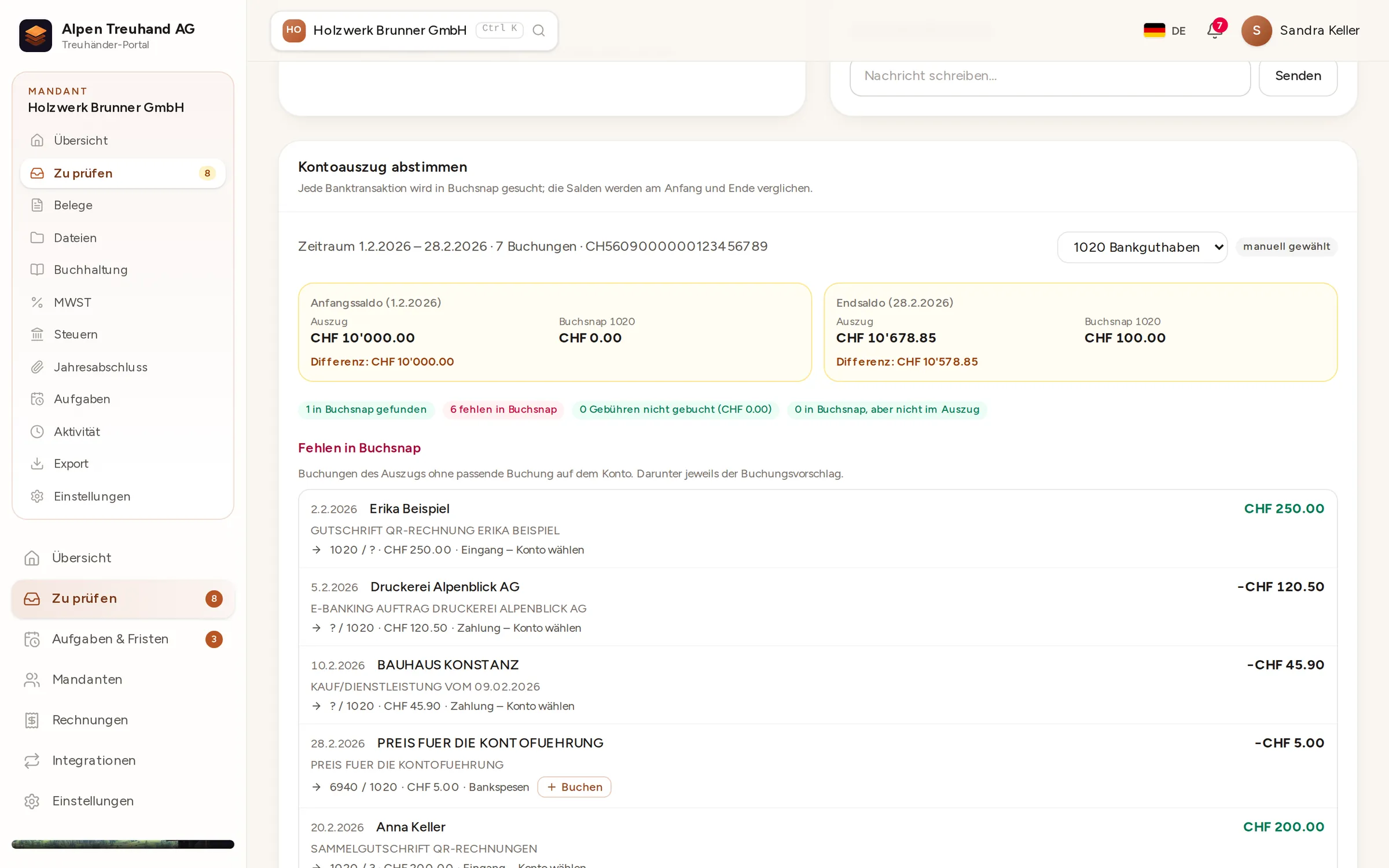
Upload the camt.053 statement from your e-banking and choose the bank account. Buchsnap compares the balances, looks for each payment in the books and suggests an entry for any that are missing.
- 1UploadDrag and drop a camt.053 or camt.054 file from your e-banking.
- 2Compare balancesThe statement’s opening and closing balances, side by side with the balance in Buchsnap.
- 3Post what’s missingPost bank charges and familiar contra accounts straight from the suggestion.
- 4Settle invoicesPayments with a QR reference mark the matching invoice as paid.
Foreign currencies without spreadsheets
Buchsnap fetches the official daily and monthly average rates published by the Federal Office for Customs and Border Security (FOCBS/BAZG), which also apply for VAT, and converts to Swiss francs when posting. You can always see which rate was used.
- Official FOCBS exchange rates
- No duplicate entries if you import the same file again
- A clearing account for each payment provider
FAQ
Frequently asked questions
Which banks are supported?
Is there a direct bank connection?
How are TWINT fees posted?
Will a payment be posted twice if I upload the same file twice?
Do I need a particular plan for Stripe?
Try it out with one of your clients.
Free for accounting firms. Sign-up takes three minutes.