
Receipt recognition
A draft entry from every receipt. You have the final say.
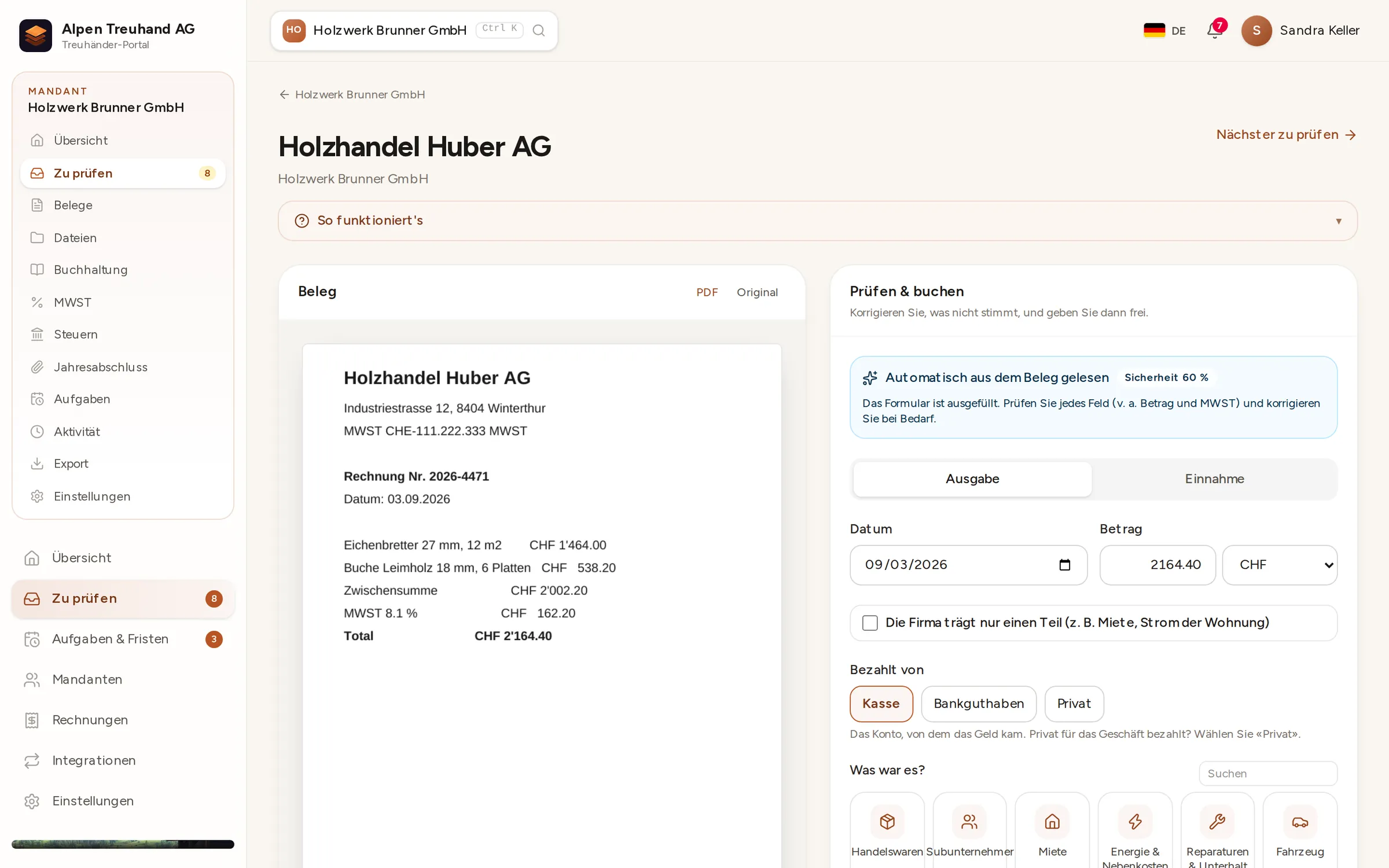
Text recognition and the QR reader pull the date, amount, VAT rate, supplier and payment details from each receipt. Buchsnap suggests the accounts you chose last time for the same supplier.
In detail
QR-bill first
If the document has a Swiss QR code, Buchsnap reads the amount, IBAN, reference and supplier directly from it, with no typos.
Text recognition in DE, FR, IT, EN
On till receipts and scanned invoices, Buchsnap recognises dates, amounts and VAT rates in four languages.
A journal that remembers
When you reuse an entry description, the journal fills in the accounts and VAT code you chose last time.
 Enlarge ↗
How it works
From photo to draft entry
As soon as a receipt arrives, Buchsnap reads it on our own server: first the Swiss QR Code, if there is one, then the text. The result is a completed form that the accountant only has to check.
- 1QR codeThe amount, account, reference and supplier come straight from the invoice’s QR code, error-free.
- 2Text recognitionDates, amounts and VAT rates from till receipts and PDFs, in German, French, Italian and English.
- 3ConfidenceBuchsnap shows how confident it is in each result, so you know which fields to check more closely.
- 4ApprovalNothing is posted until it’s approved. Until then, everything stays a draft.
 Enlarge ↗
Review list
All open receipts, oldest first
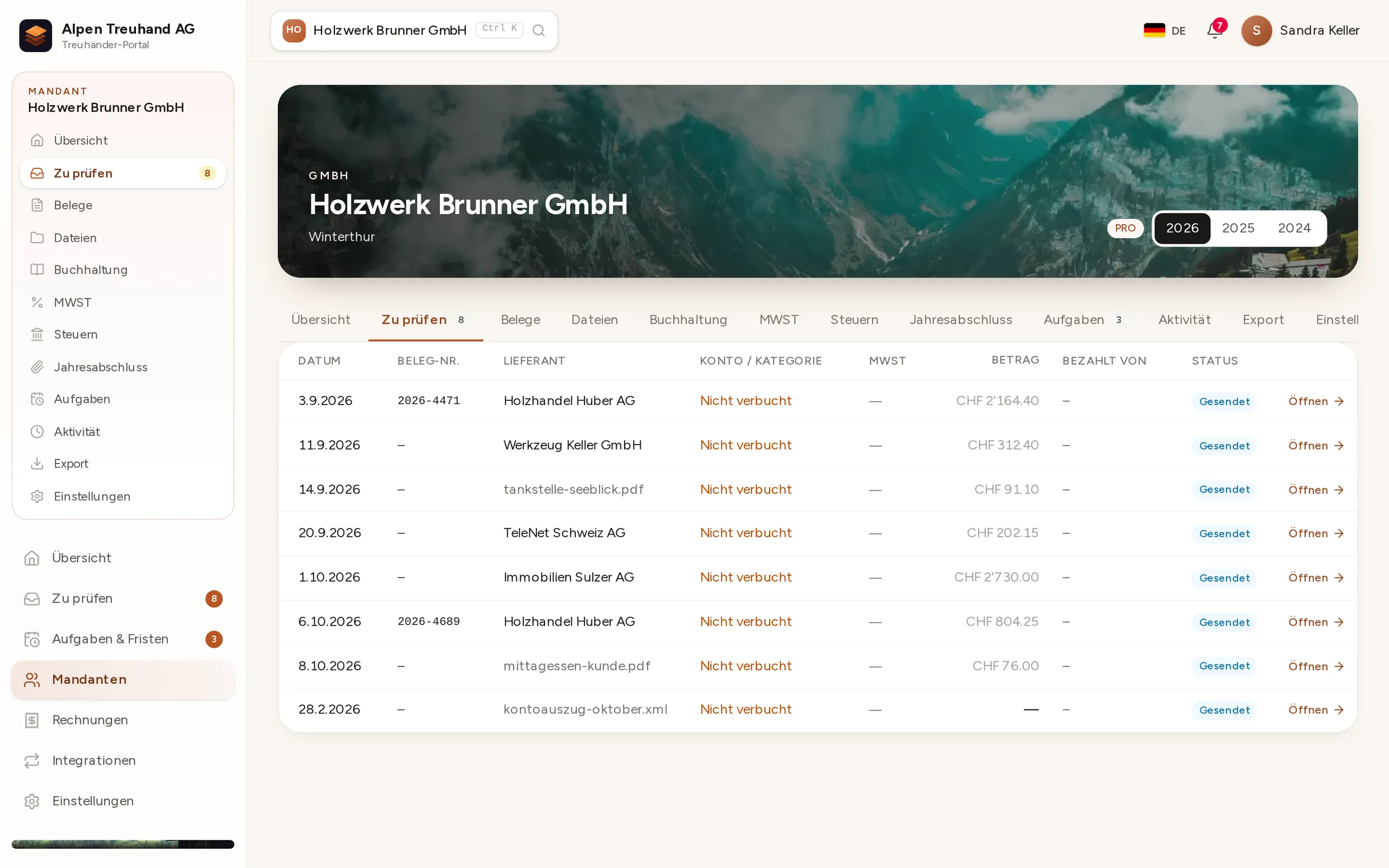
‘To review’ lists new receipts from all your clients, with supplier, amount and status. You work through one list instead of opening folder after folder.
- 1SentUploaded by the client, not yet checked.
- 2Info requestedYou’ve raised a query, and the client replies right on the receipt.
- 3ApprovedPosted and filed.
No external AI services
Recognition runs entirely on Buchsnap’s own server. Receipts are never sent to language models or third-party services. That matters for accountants, who need to be able to tell their clients where their data is processed.
- Nothing is passed to third parties
- Every suggestion stays a draft until it’s approved
- Duplicate uploads are detected
FAQ
Frequently asked questions
Does Buchsnap post entries automatically?
How accurate is the recognition?
Are receipts sent to an AI service?
Which languages does text recognition support?
What happens to receipts in foreign currencies?
Try it out with one of your clients.
Free for accounting firms. Sign-up takes three minutes.