
Journal
Keyboard-first bookkeeping. As fast as Banana, but in your browser.
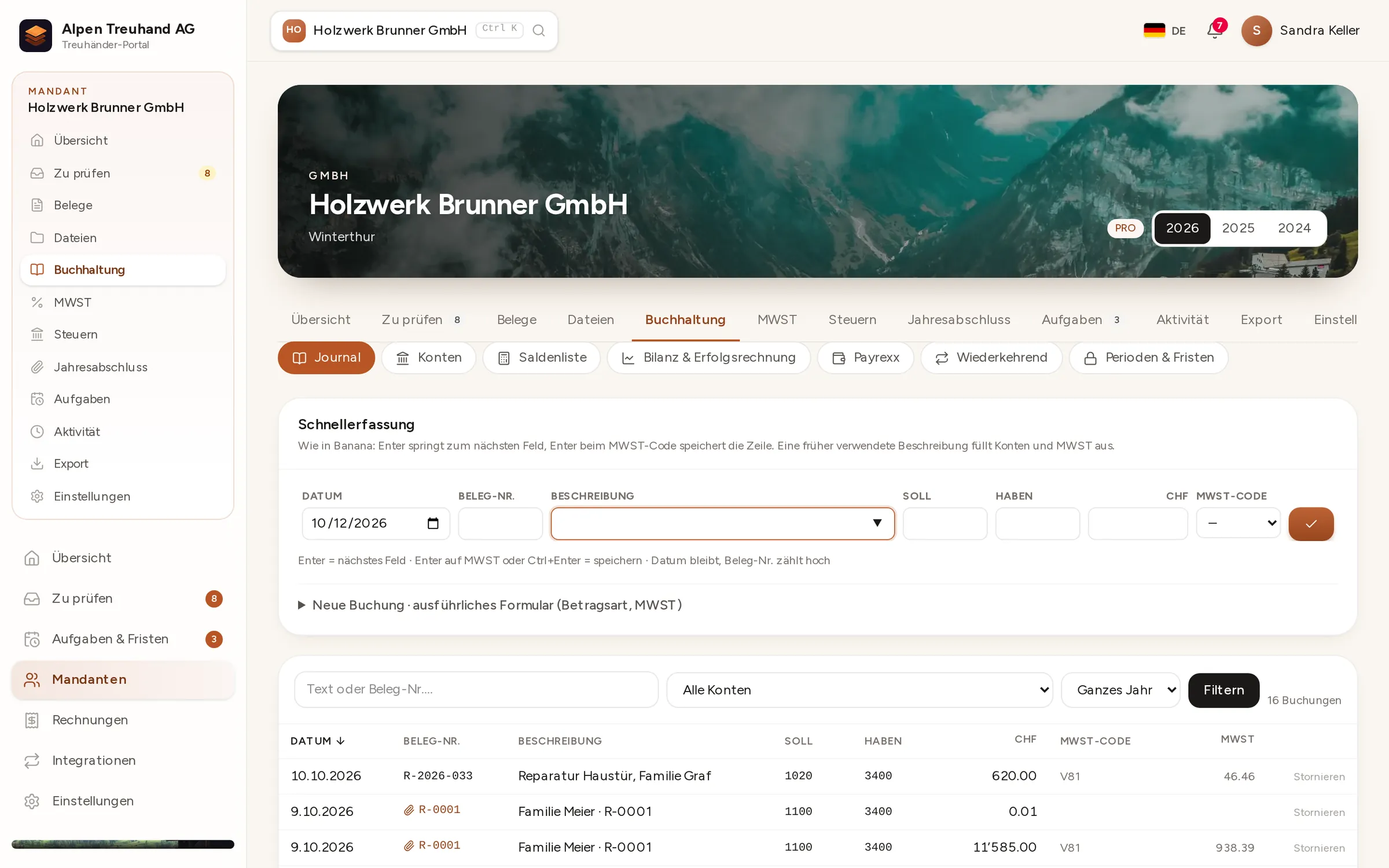
Date, document, description, debit, credit, amount, VAT code: press Enter to move to the next cell, and Enter on the last one saves the entry. Buchsnap remembers descriptions and fills in the accounts and VAT code for you.

In detail
Keyboard first
Enter and Tab take you along the row, and the next document number is assigned automatically. You’ll hardly need the mouse.
Swiss SME chart of accounts
The Swiss SME chart of accounts (Kontenrahmen KMU) is ready to go. You can add your own accounts at any time.
Locked periods
Closed periods can be locked. Any entries posted to them are rejected, so the VAT return you filed stays correct.
 Enlarge ↗
How it works
One entry in five seconds
You’ll find the journal under Accounting in each client. Quick entry sits at the top, with all entries below, filterable by account, period and description.
- 1Type the descriptionA familiar description fills in debit, credit and VAT code on its own.
- 2Enter the amountEnter jumps from field to field, and the document number counts up by itself.
- 3SaveEnter on the VAT code saves the entry and opens the next row with the same date.
- 4CheckAccount ledgers, trial balance, balance sheet and income statement update instantly.
The journal’s memory
Type ‘Office rent’ and Buchsnap fills in the accounts and VAT code you last used for it. A contra account brings its usual VAT code with it. That keeps your account coding consistent year after year, even when several people are posting.
- Suggestions based on your own posting history
- VAT codes as in Banana (V81, M81, I81 …)
- Foreign currencies at the FOCBS rate
FAQ
Frequently asked questions
Do I need to know Banana?
Can I bring my existing data with me?
Is there an undo function?
Can my client see the journal?
Can I export the journal?
Try it out with one of your clients.
Free for accounting firms. Sign-up takes three minutes.