
Invoices
Invoices with a QR code. Paid, posted, done.
Send invoices with a Swiss QR-bill and your logo, and see when they’ve been paid. Payment reminders and recurring invoices included.
In detail
Swiss QR-bill
QR-bills with a QR-IBAN or IBAN and a structured reference. With your logo, your colours and a choice of three templates.
Payment reminders
Spot overdue invoices and send staged payment reminders, with your own wording for each stage.
Recurring invoices
For rent, maintenance contracts and memberships: invoices are created automatically on the date you choose.
QR-bill
Invoices your customers can pay straight away
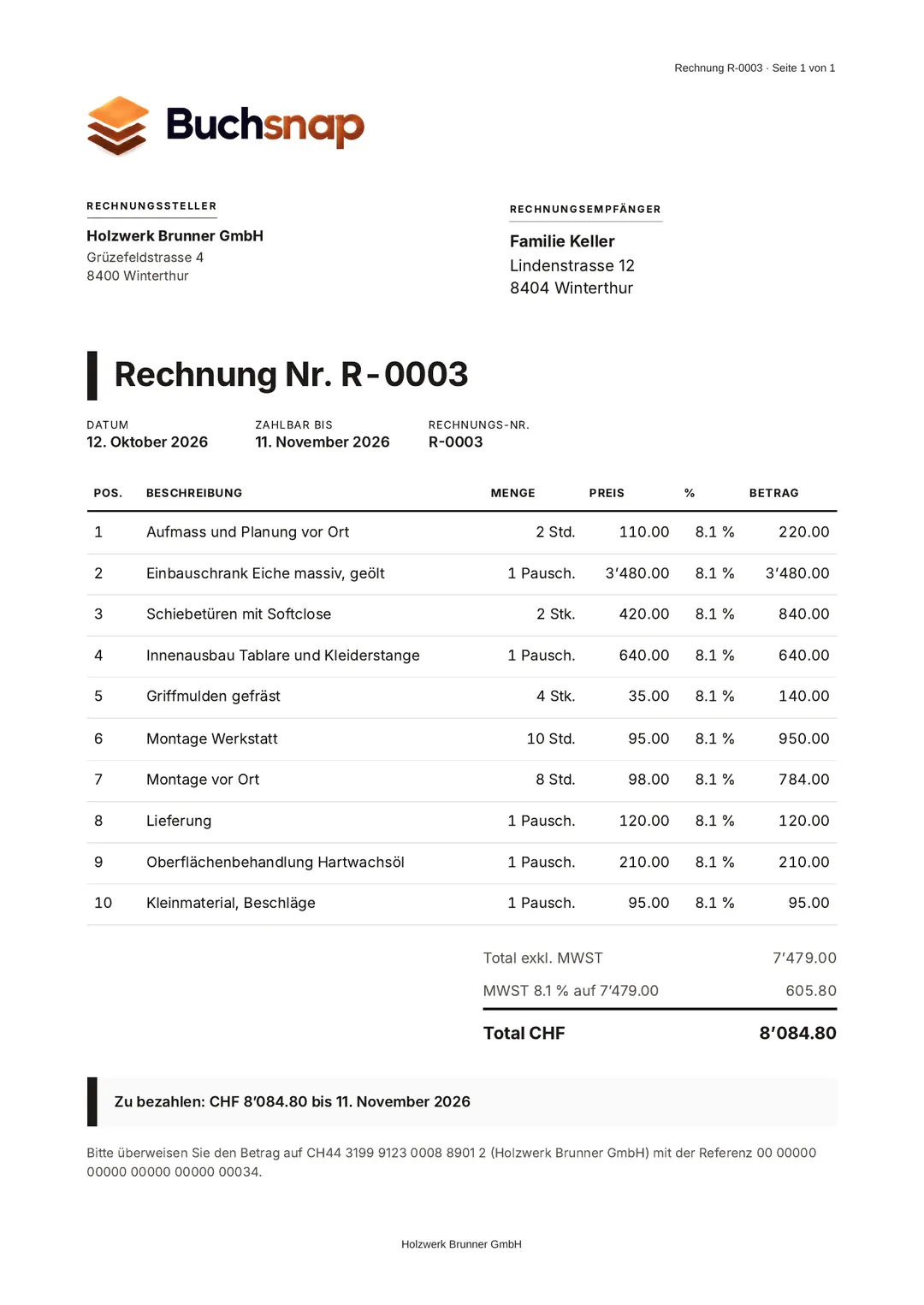
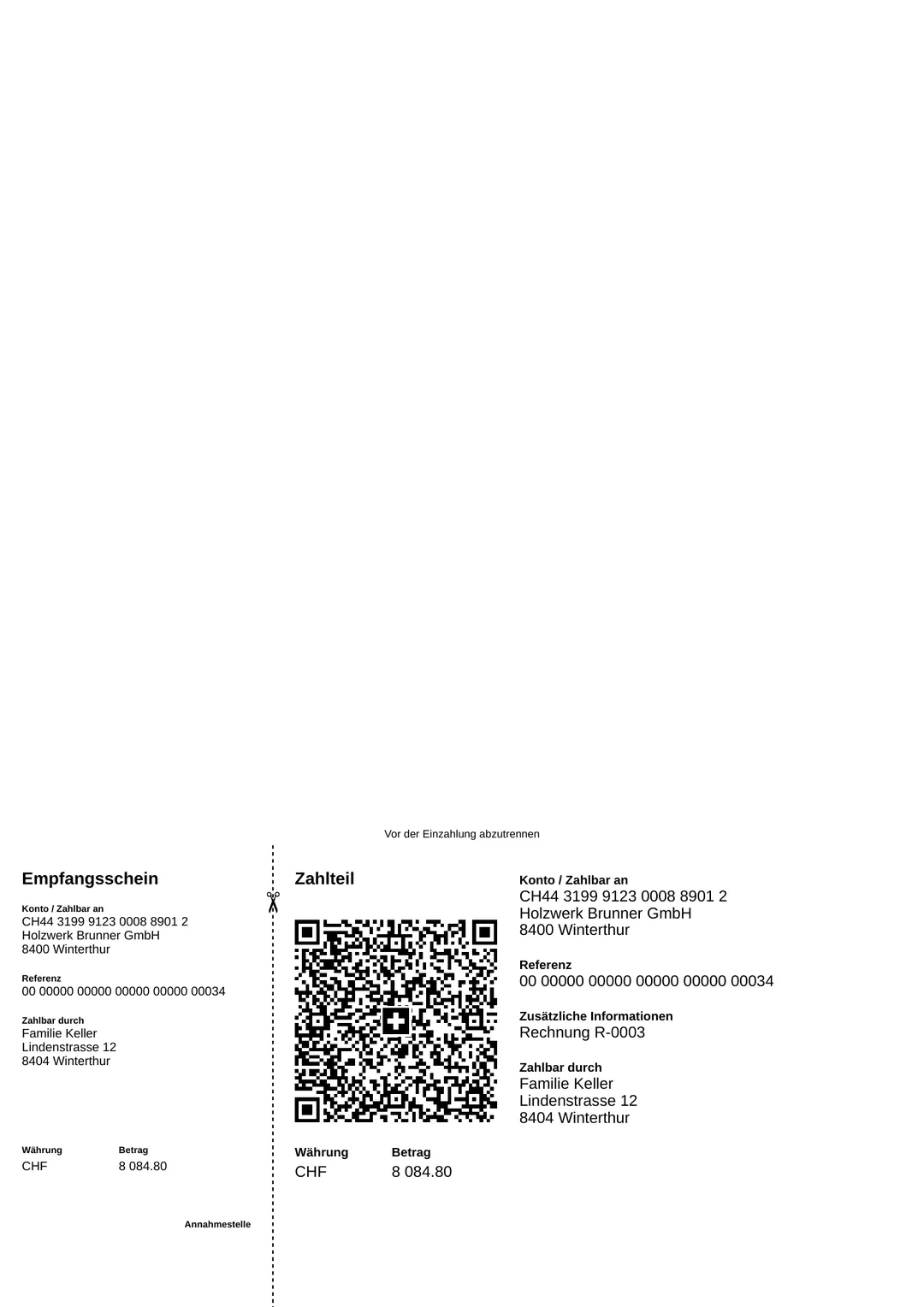
This is what an invoice from Buchsnap looks like: your company logo and colours, every line item with VAT, then the total and the payment terms. The second page carries the payment part with the Swiss QR Code. Your customer scans it with their banking app, and the amount, account and reference are already filled in.
As soon as the payment shows up on your bank statement, the invoice is marked as paid automatically.
- QR-IBAN with structured reference, or a standard IBAN
- VAT rates of 8.1%, 2.6% and 3.8% per line item
- PDF to download and forward
- Staged payment reminders, credit notes, recurring invoices
 Enlarge ↗
How it works
Create invoices in the dashboard or the app
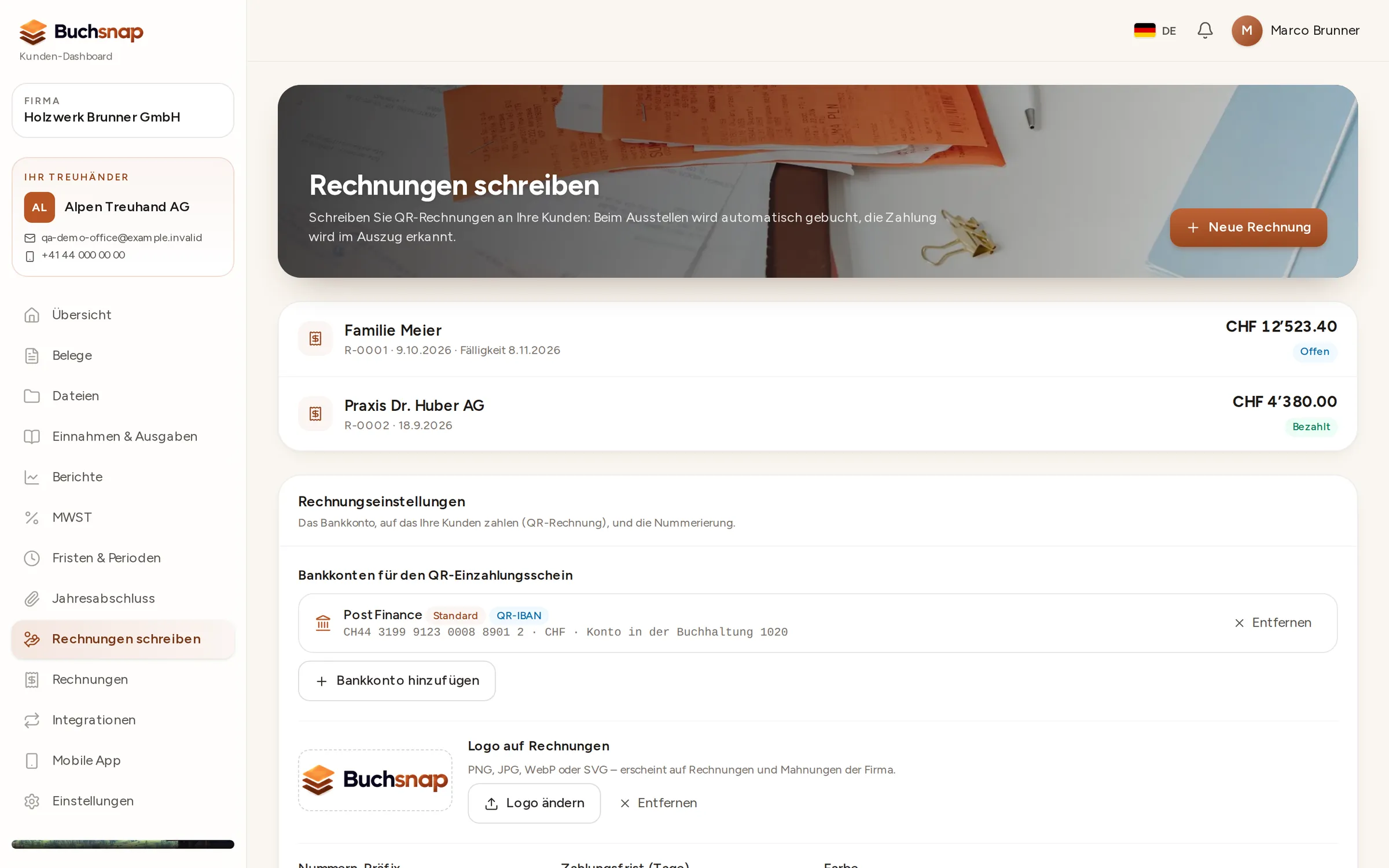
Create invoices in the client dashboard or on the go in the app: choose the customer, add the line items, issue. Buchsnap assigns the number, creates the PDF with the QR code and posts the receivable.
- 1Customer and line itemsAdd a customer once, then pick them again for every invoice.
- 2IssueBuchsnap assigns the number and creates the PDF, complete with your logo and QR payment part, ready to send to your customer.
- 3PaidOnce the bank statement comes in, the invoice is marked as paid automatically.
- 4RemindSend staged reminders for overdue invoices.
Nothing entered twice
Every invoice is posted automatically as a receivable, and payments from the camt import settle it. Sales from your online shop can be imported (PRO). Your accountant sees everything in the same journal.
- Credit notes
- PDF with logo and QR payment part
- Invoices in six languages
FAQ
Frequently asked questions
Which plan do I need to send invoices?
What changes for the QR-bill in November 2026?
Can I use my own invoice layout?
How can I tell whether an invoice has been paid?
Try it out with one of your clients.
Free for accounting firms. Sign-up takes three minutes.