
For SMEs and sole proprietorships
You photograph the receipt. Your accountant does the rest.
For sole proprietorships (Einzelfirma), GmbHs (limited liability companies) and AGs (companies limited by shares) that would rather not do their own bookkeeping but still want to know where they stand at any time.
From CHF 29 a month, excluding VAT. Your accountant's fees are charged separately.
- Your own @buchsnap.ch receipts address
- An app with nothing to install
- QR-bills

 Enlarge ↗
Client dashboard
Know where your business stands
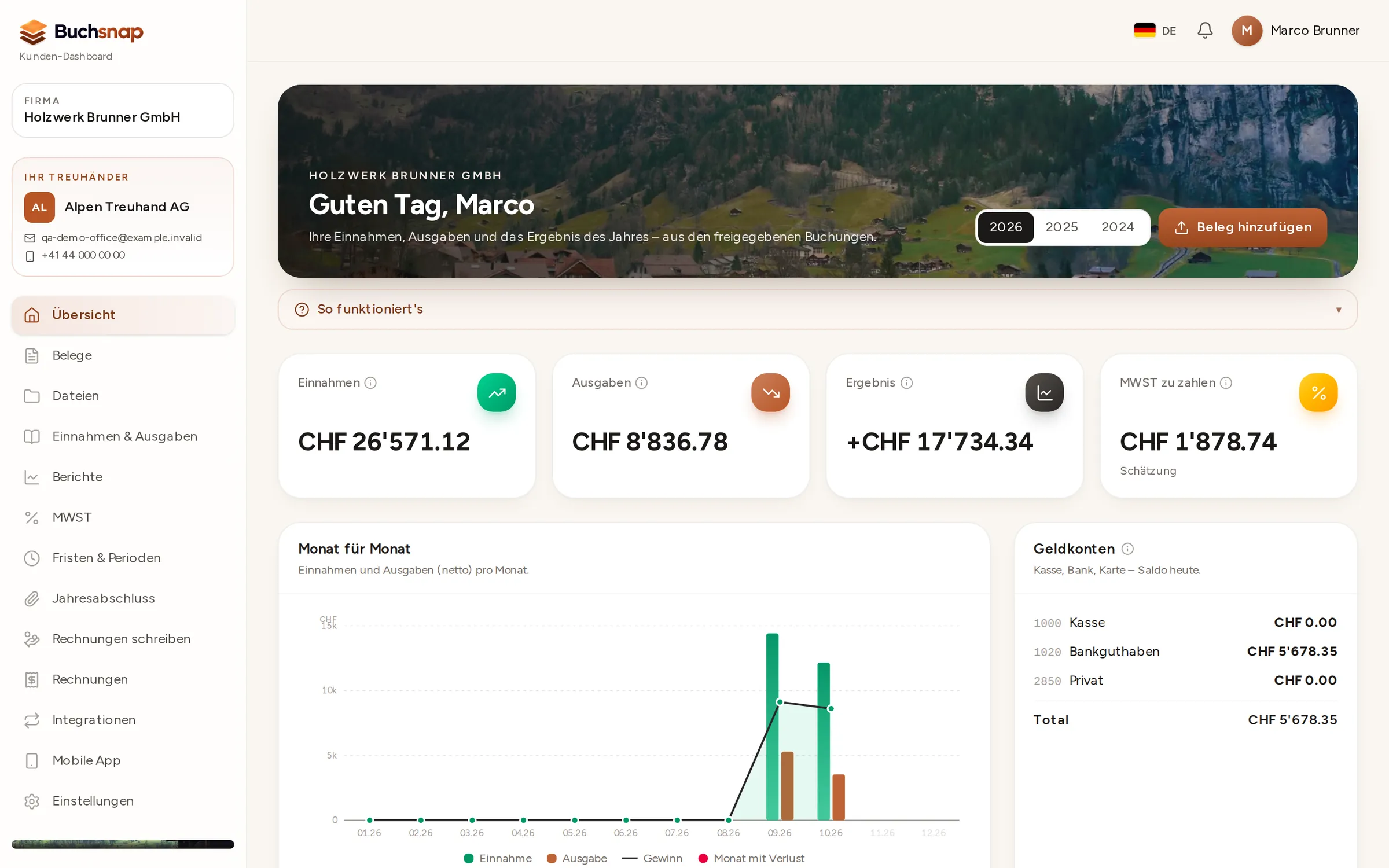
In your dashboard at kunde.buchsnap.ch, you can see what your accountant has posted: income, expenses, profit and VAT, always up to date. From PLUS, you also get the balance sheet, income statement and VAT reports.
- 1At a glanceThe year's key figures at the top, with a month-by-month breakdown below.
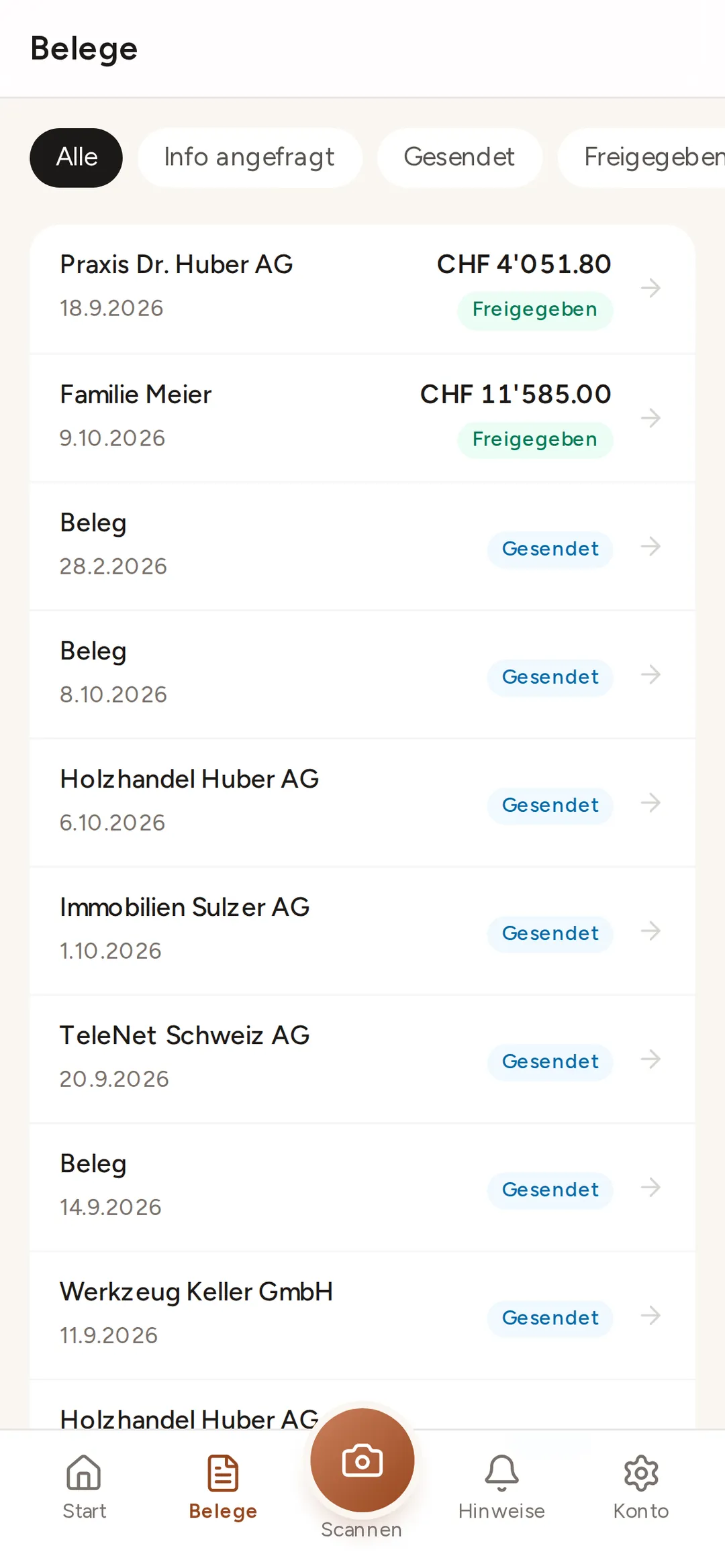
- 2Receipts with statusSee which receipts have arrived, which have been checked and which are still outstanding.
- 3TasksWhen your accountant needs something from you, it appears here, with a deadline.
Who does what
What you do. What your accountant does.
| Feature | You | Your accountant |
|---|---|---|
| Photograph, upload and forward receipts | – | |
| Check draft entries and post them | – | |
| Invoice your customers | – | |
| Reconcile the bank and match payments | – | |
| Answer queries | – | |
| File the VAT return | – | |
| View the figures in the dashboard | ||
| Year-end closing | – |
Receipts
Ten seconds per receipt, even on the go.
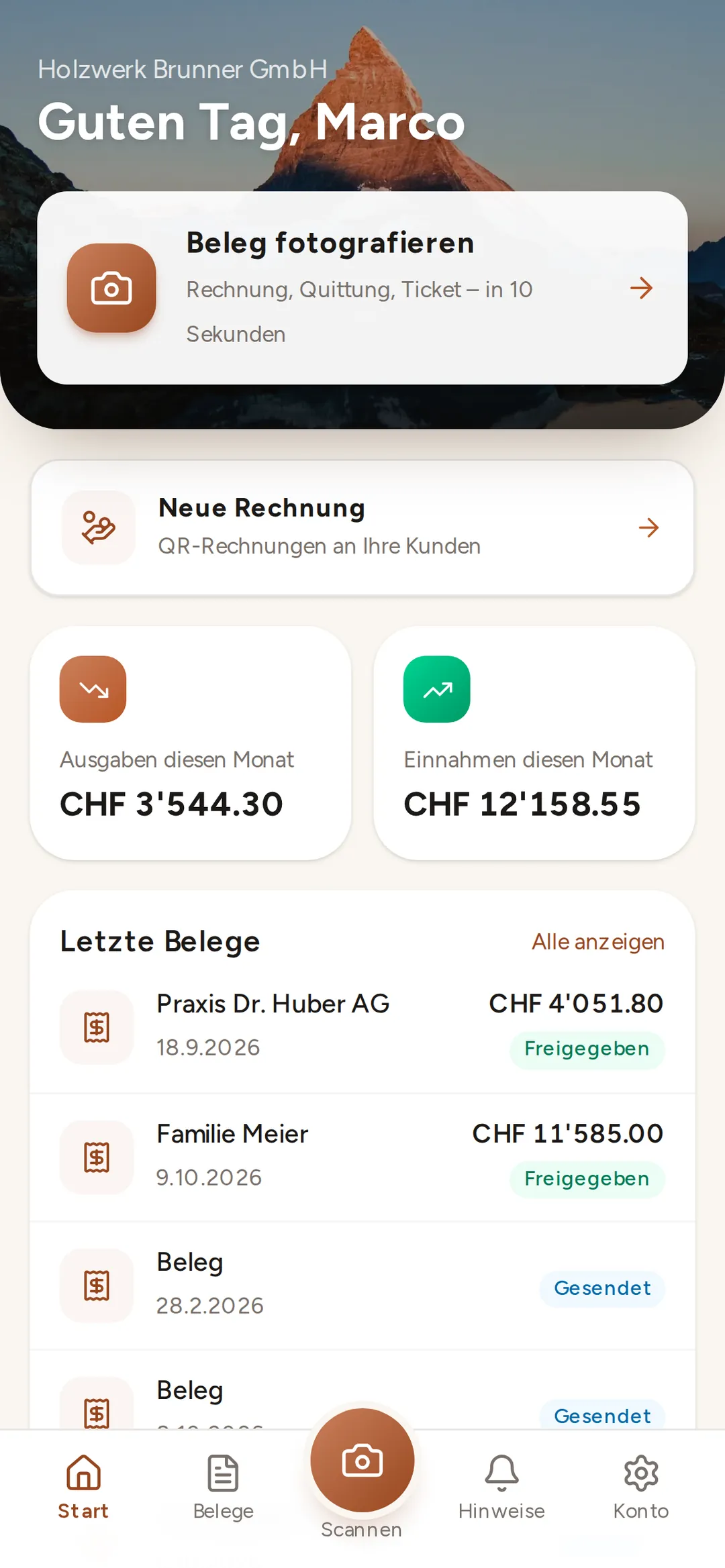
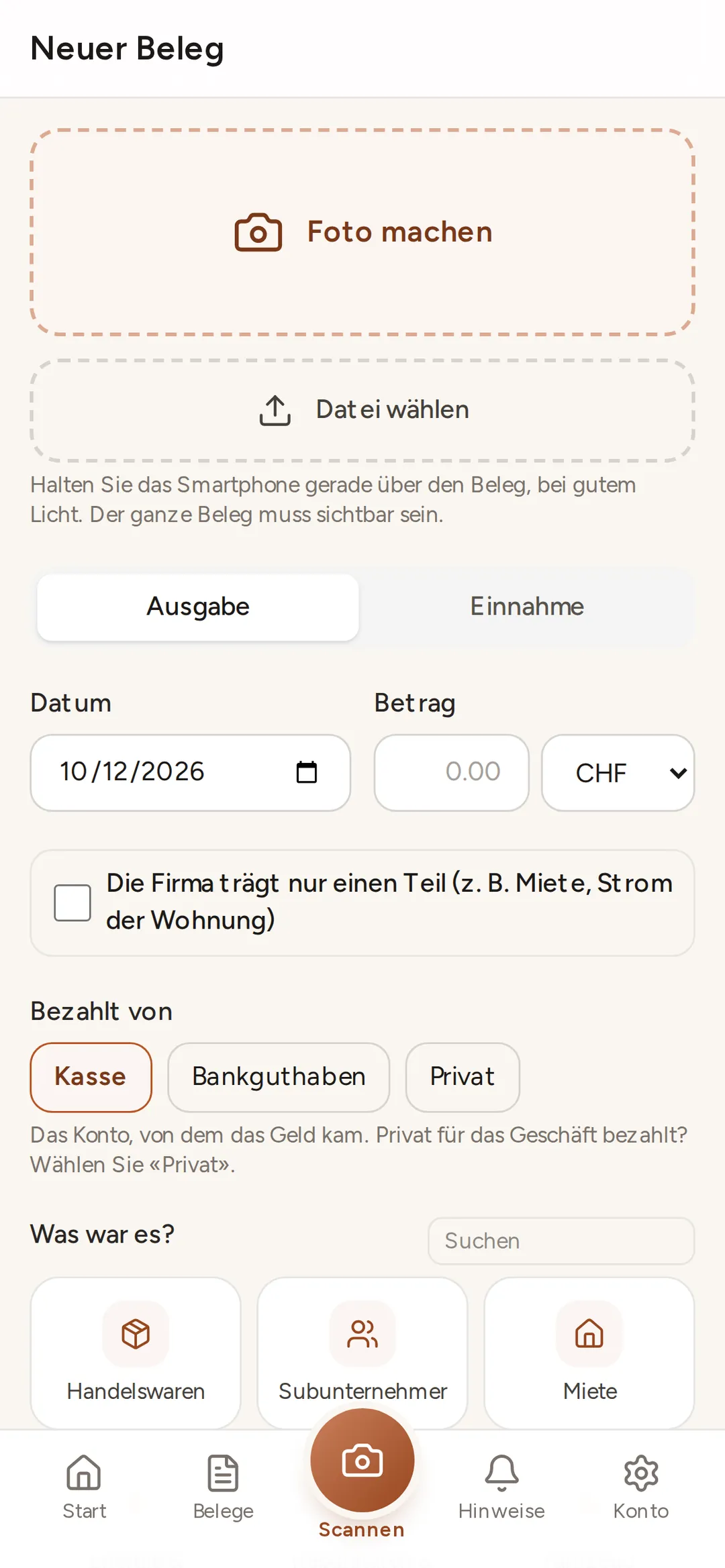
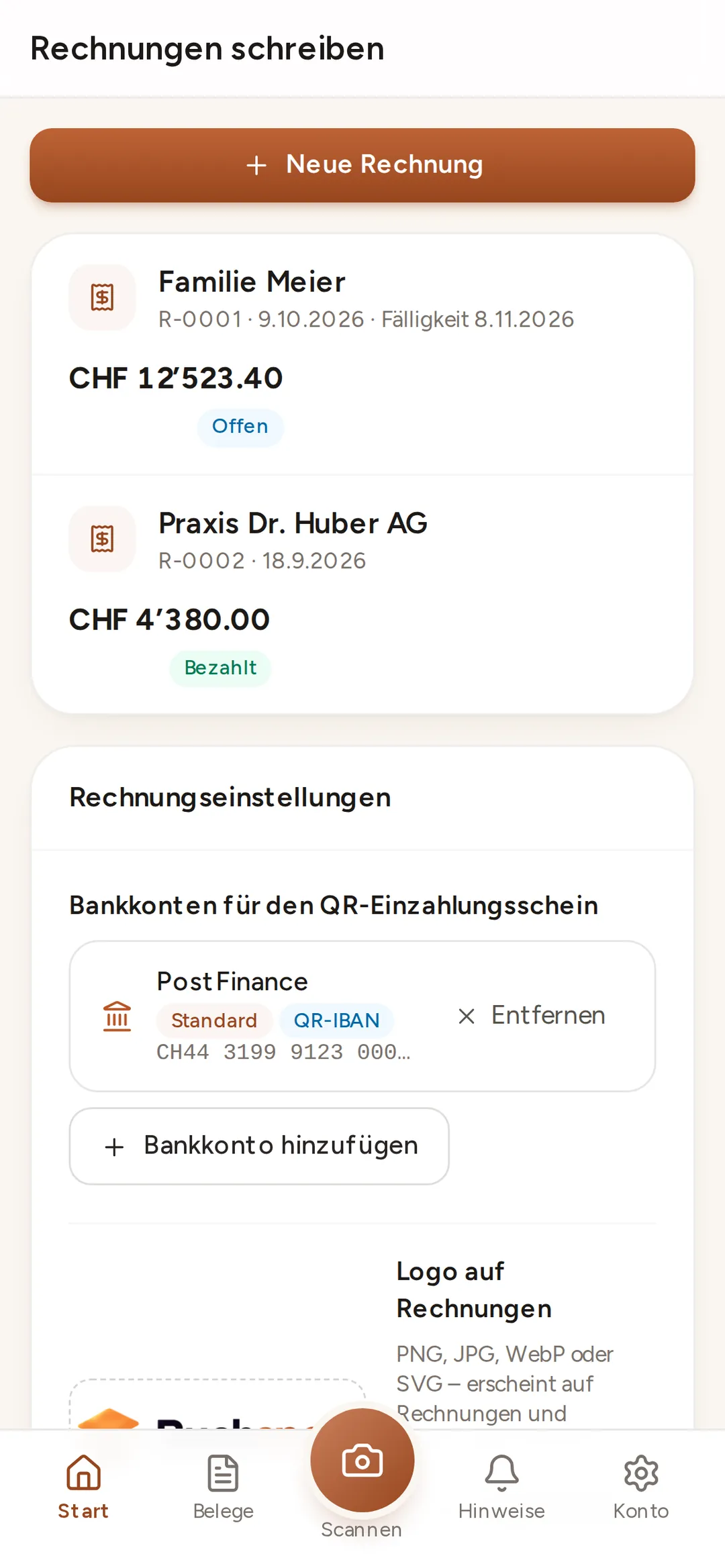
Photograph the receipt from your business lunch while you're still at the table. Have supplier invoices sent straight to your own Buchsnap address, for example muster@buchsnap.ch. Each receipt lands in the right year and month, and your accountant sees it straight away. No more hunting through folders in December.

Buchsnap app
Capturing receipts is this simple
app.buchsnap.ch runs in the browser on iPhone and Android, and once installed it sits on your home screen like any other app. No App Store, no updates.
 Enlarge ↗
Uploading on your computer
Lots of receipts at once, in the right month
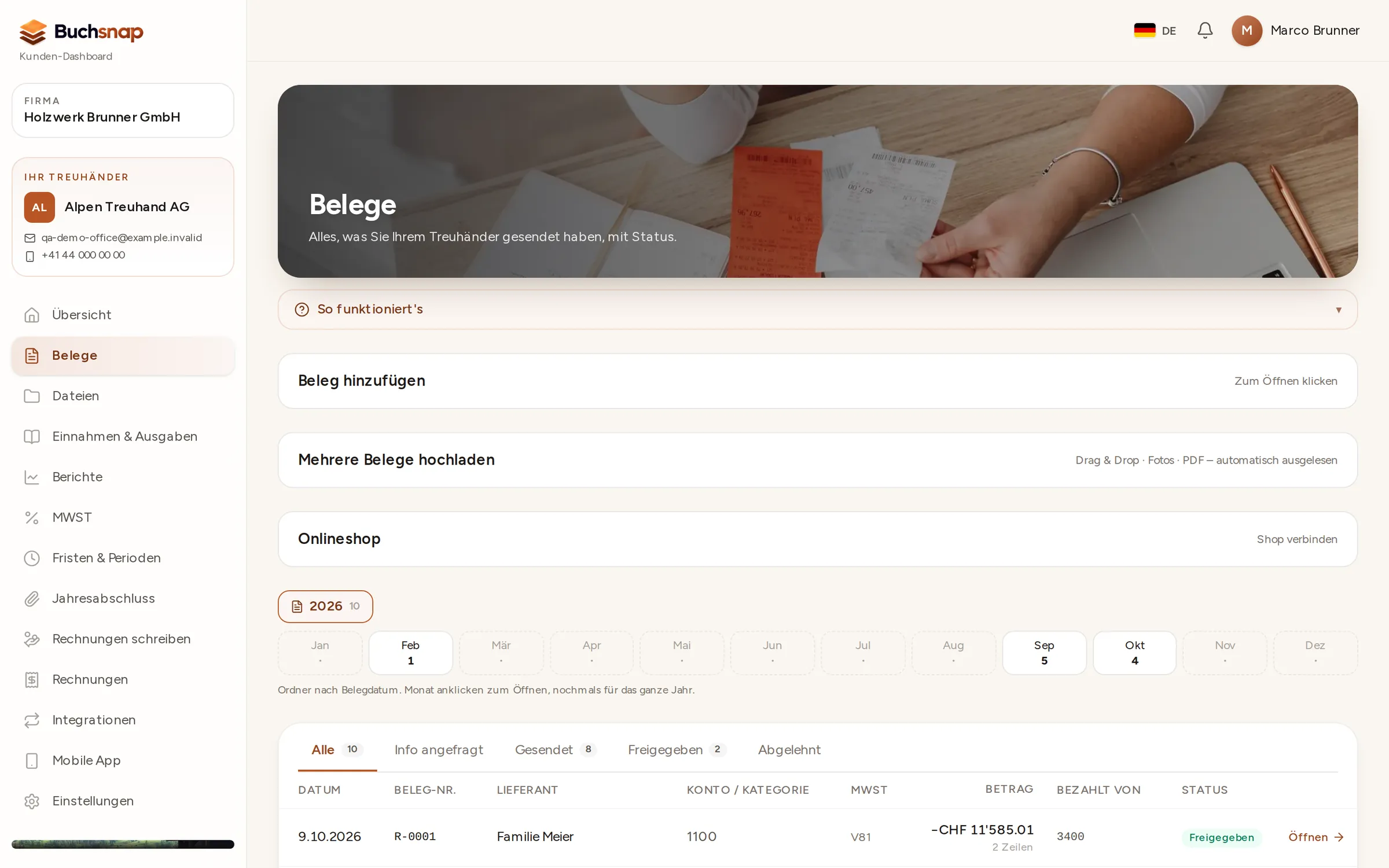
Drag PDF invoices and photos into the dashboard. Buchsnap files them by year and month, spots duplicate files and shows the status of every receipt.
- 1Choose the monthReceipts go into the month you choose, even if the invoice arrives later.
- 2Drag and dropSeveral files at once: PDF, JPG, PNG or HEIC.
- 3Track the statusSent, approved or queried by your accountant.
Invoices · from PLUS
Send the invoice. See the payment.
Create invoices with a Swiss QR-bill directly in Buchsnap. If a customer doesn't pay, send a payment reminder. For subscriptions and rent, set up recurring invoices that are generated automatically. Because everything is in one place, your accountant never has to enter anything twice.

QR-bill
Invoices that can be paid straight away
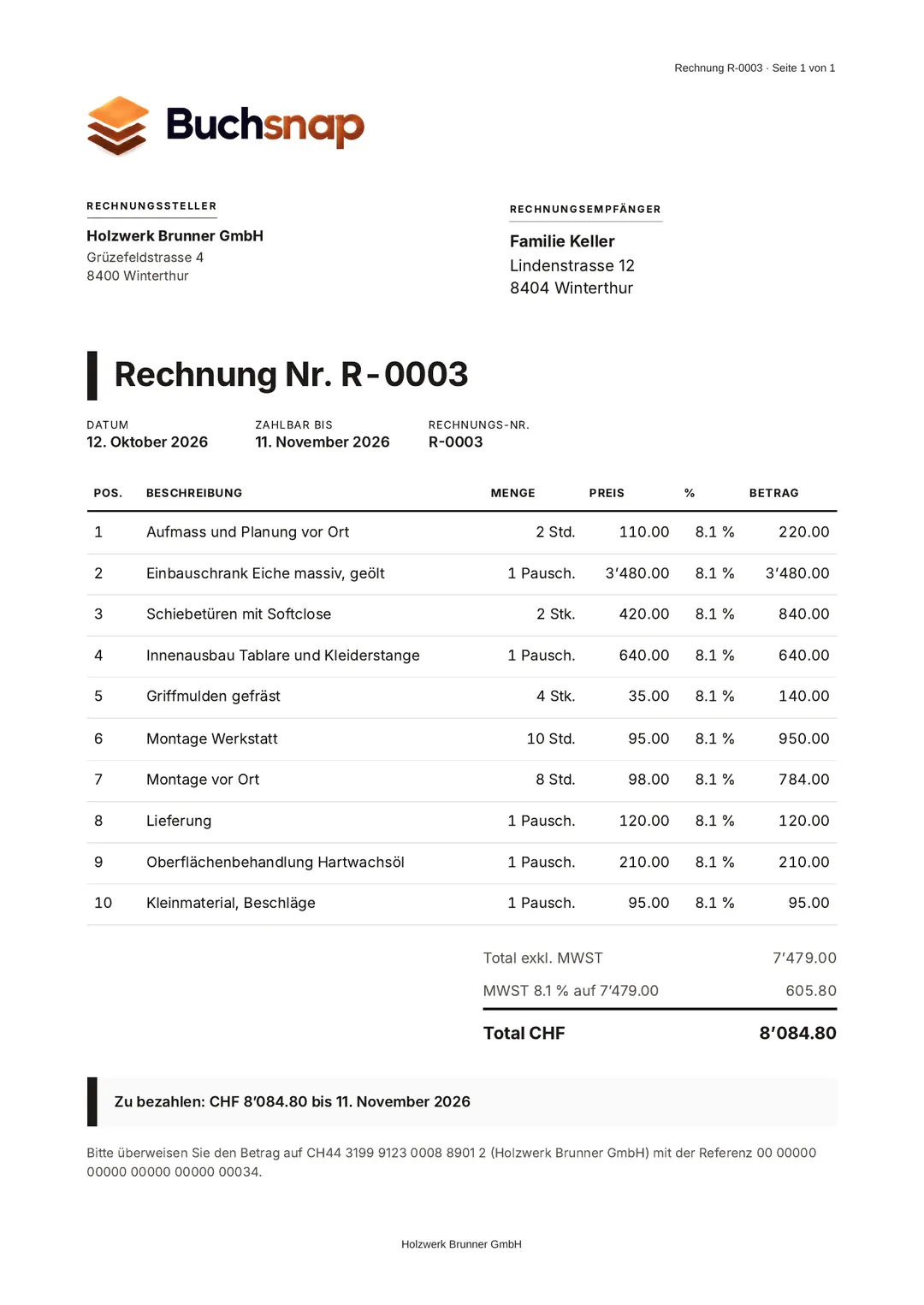
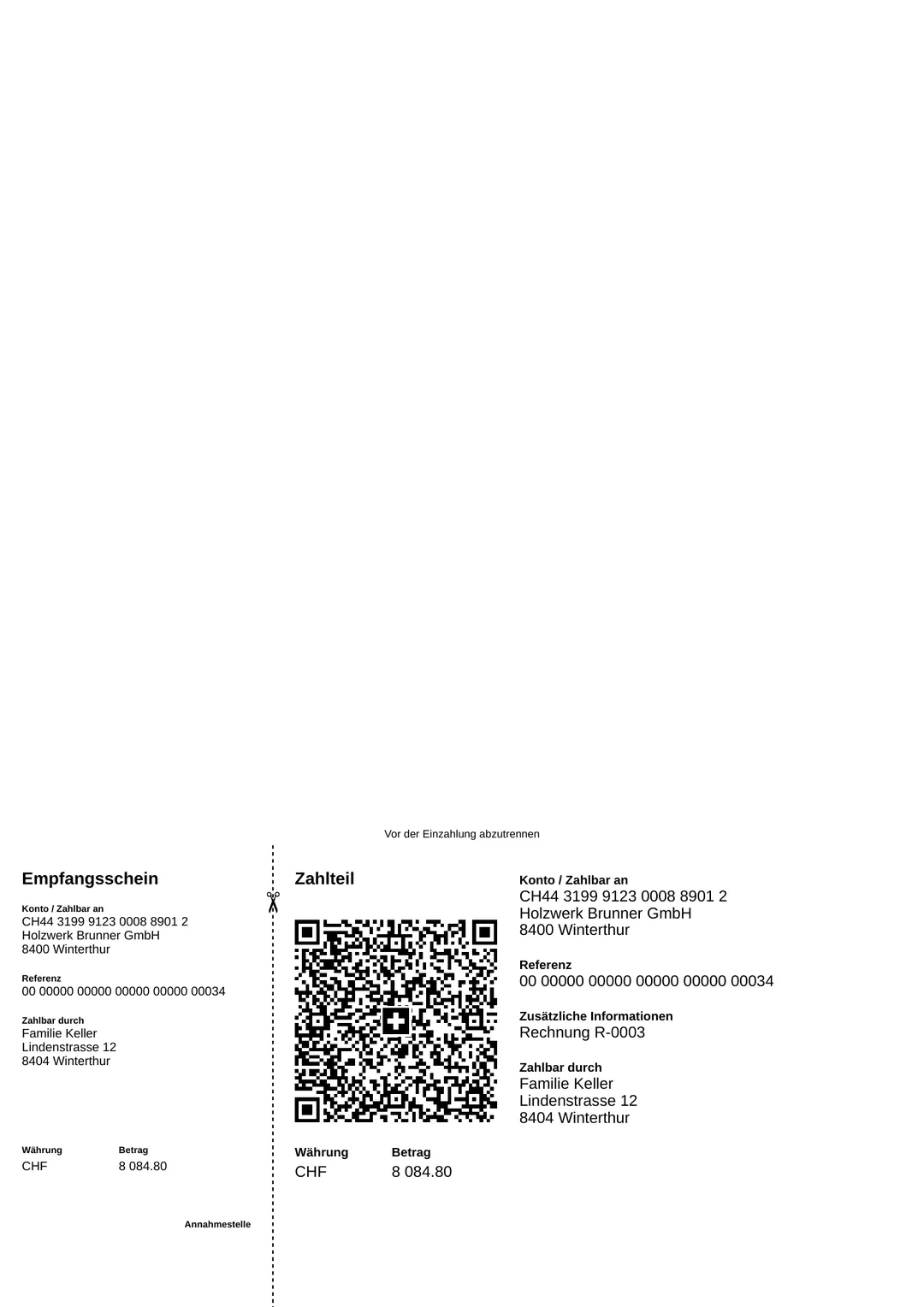
This is what an invoice from Buchsnap looks like: your company logo and colours, every line item with VAT, followed by the total and the payment terms. The second page carries the payment slip with the Swiss QR Code. Your customer scans it with their banking app, and the amount, account and reference are already filled in.
As soon as the payment appears on the bank statement, the invoice is automatically marked as paid.
- QR-IBAN with structured reference, or IBAN
- VAT rates of 8.1%, 2.6% and 3.8% per line item
- PDF to download and forward
- Staged payment reminders, credit notes, recurring invoices
Point of sale and payment providers
TWINT, SumUp, Stripe: settlements included.
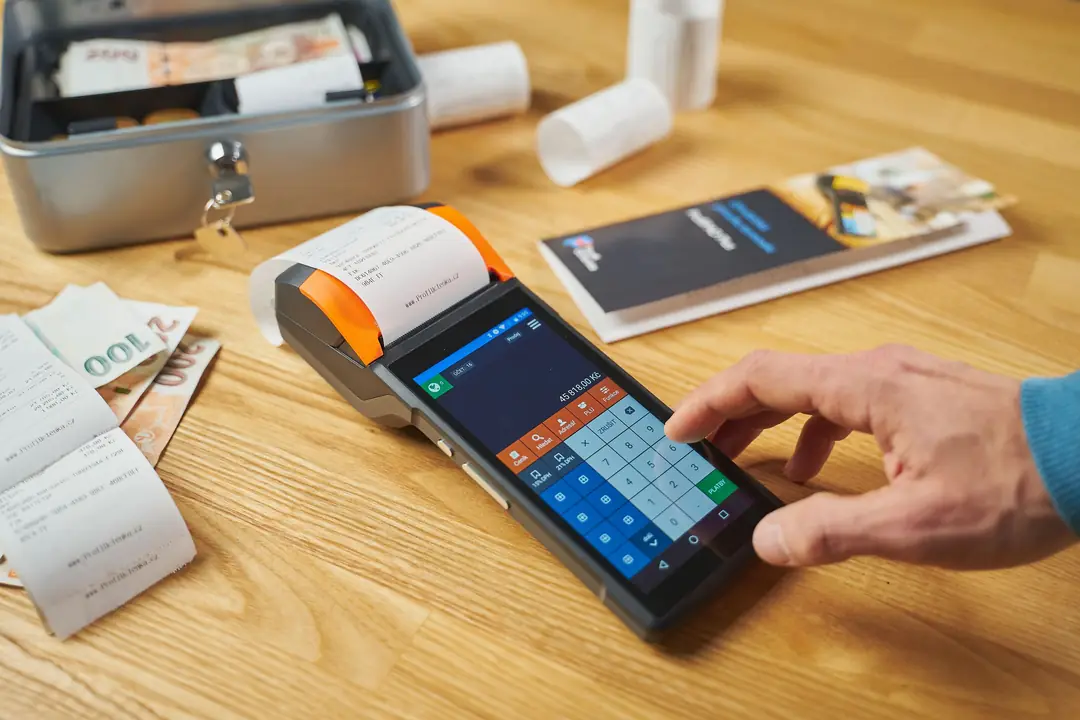
If you sell in a shop, at a market or online, you have lots of small payments and a single lump-sum credit in your account. On every plan, Buchsnap imports settlement reports from TWINT, Worldline, SumUp and Uber as CSV files. With PRO, Buchsnap fetches the data from Stripe, SumUp and Wallee/PostFinance Checkout directly via their APIs. Your accountant can see exactly what makes up each credit, fees included.
 Enlarge ↗
Reports · from PLUS
Your results every month, not just in April
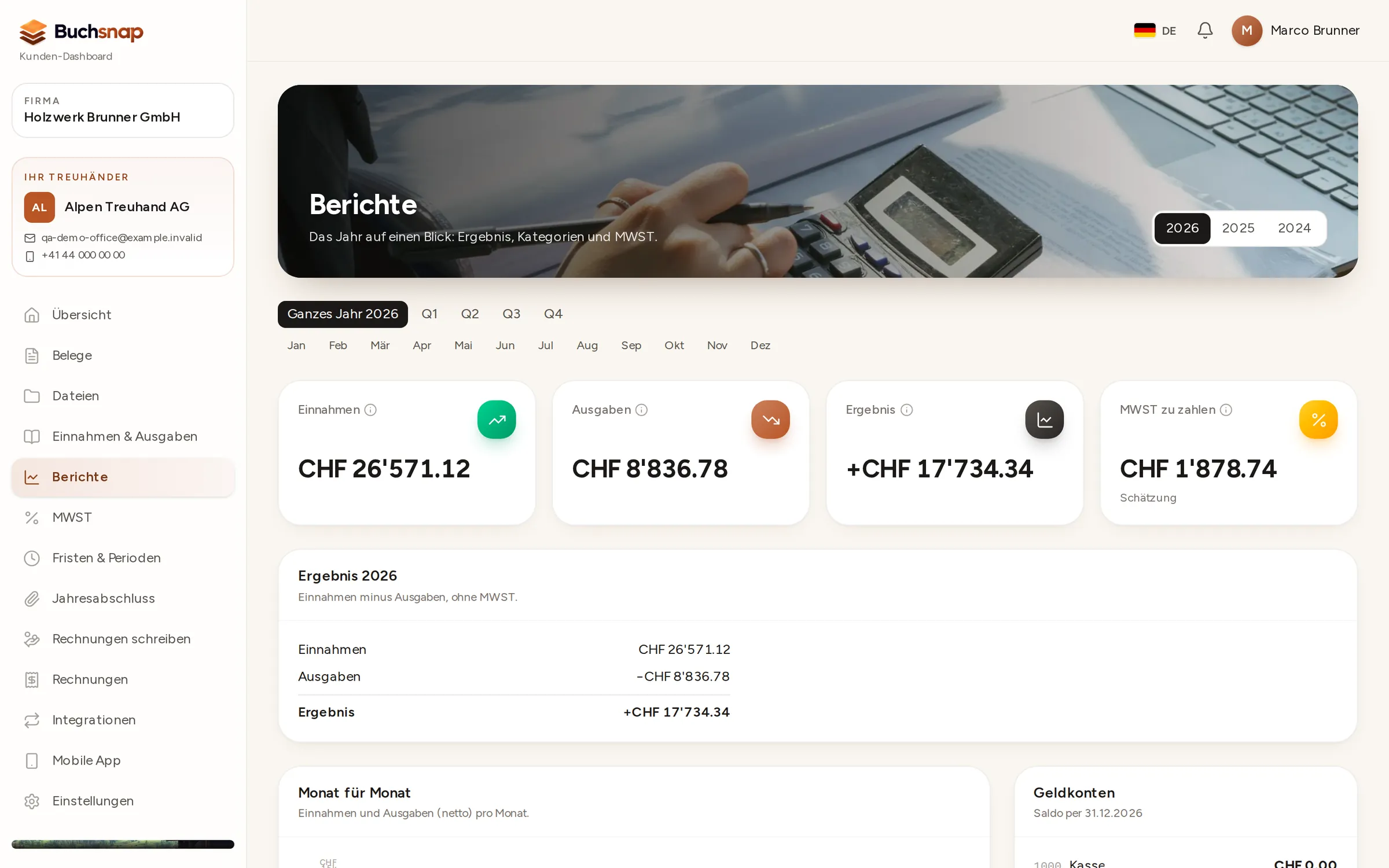
With PLUS, you can see your balance sheet and income statement at any time, for the whole year, a quarter or a single month. That helps when you're setting prices, planning investments or talking to your bank.
- 1Choose the periodThe year, a quarter or individual months.
- 2ResultsIncome, expenses and profit over time.
- 3CompareSwitch between years to see how things are developing.
Plans
Three plans. Switch as your business grows.
Basic
CHF 29per month, per company
plus VAT (8.1%)
You supply the receipts. Your accountant does the rest.
- Receipts by app, upload and email
- Filed by year and month
- View the journal
Plus
CHF 59per month, per company
plus VAT (8.1%)
For VAT-registered businesses.
- Everything in Basic
- VAT reports
- Balance sheet and income statement
- QR-bills, payment reminders, recurring invoices
Pro
CHF 99per month, per company
plus VAT (8.1%)
For point of sale and online shops.
- Everything in Plus
- Year-end closing pack
- TWINT, SumUp, Stripe, Wallee
- Shop import
Prices per month and per company, excluding VAT. Your accountant invoices their own work separately.
Get started
With your accountant or a new one
FAQ
Questions from business owners
I run a sole proprietorship (Einzelfirma). Is it worth it?
Can I use Buchsnap without an accountant?
Which plan do I need?
Are my accountant's fees included in the price?
How long do I have to keep receipts?
My staff don't speak German. Is that a problem?
No more hunting for receipts in December.
Find an accountant who works with Buchsnap.