
Projects · from PLUS
See which project pays off.
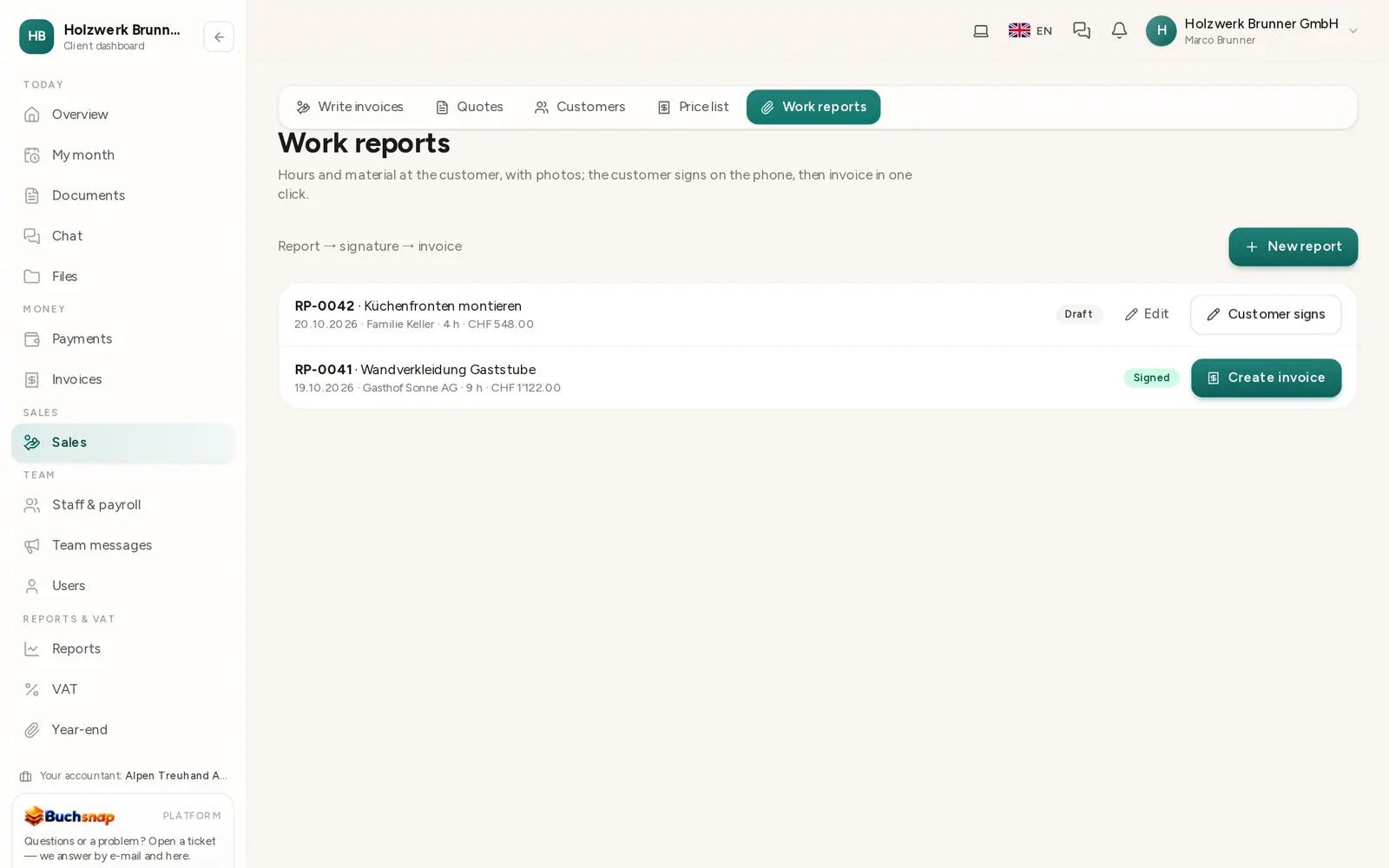
Projects are cost centres with hours, costs and revenue. Buchsnap shows the hours per project, what has not been invoiced yet and the result.
- Swiss data protection (nFADP)
- Daily encrypted backups
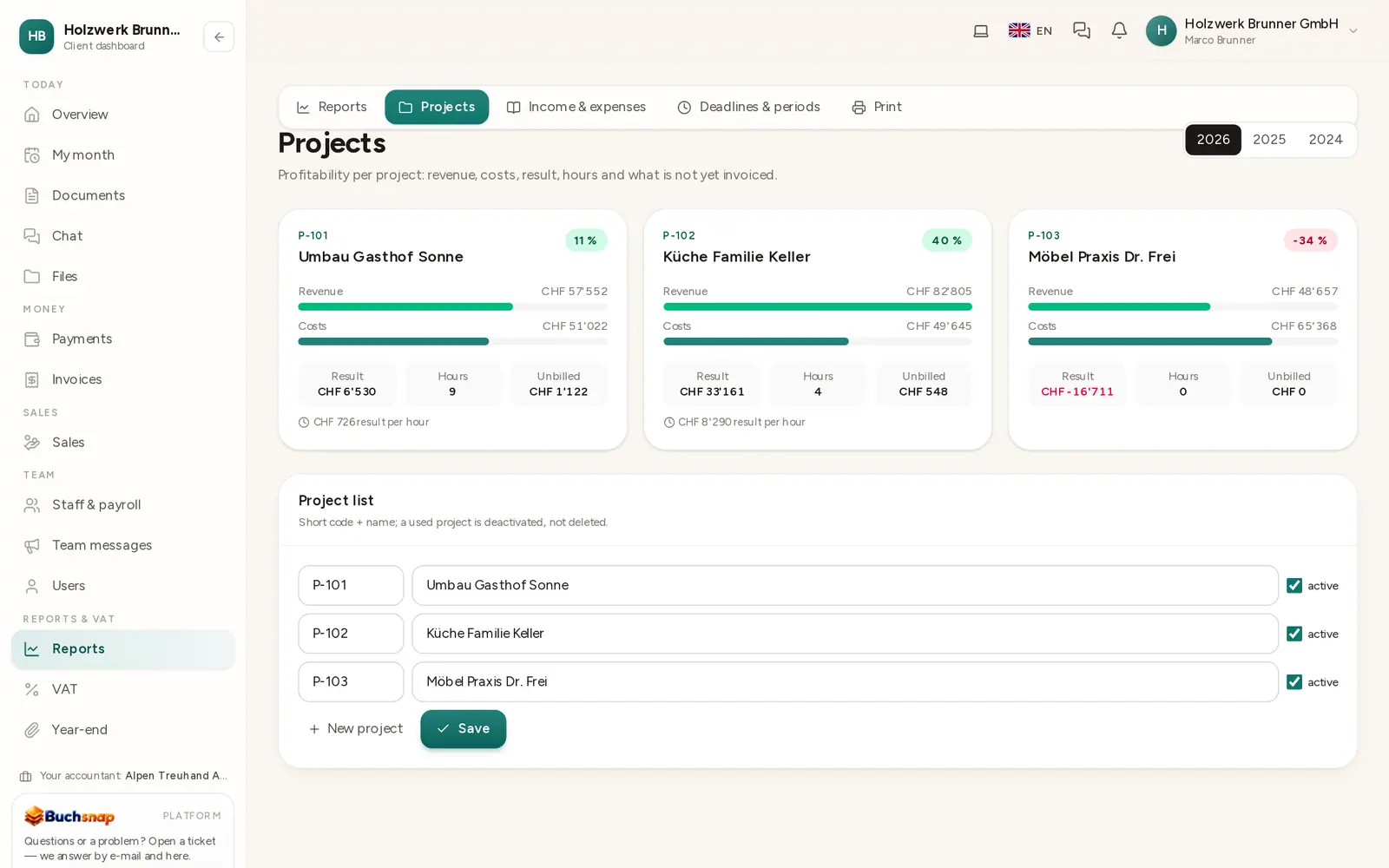
Result per project
Revenue minus costs from entries with this cost centre.
Hours
From the project's work reports; from 10 hours also revenue per hour.
Not yet invoiced
Reports without an invoice, so nothing gets forgotten.
Easy to set up
Name, code and customer – done.
How it works
All projects on one page
The overview shows hours, open reports, costs, revenue and result per project. Your accountant sees the same figures in the income statement by cost centre.
- 1CreateThe project as a cost centre.
- 2AssignReports, receipts and invoices to the project.
- 3ReviewResult and hours per project.
FAQ
Frequently asked questions
What is the difference between a project and a cost centre?
In Buchsnap a project is a cost centre with a customer and hours, so the books stay simple and the analysis precise.
Can I enter budgets?
Today Buchsnap shows actual figures. Budgets per project are not included yet.
Which plan?
Projects are part of reports and included from PLUS.
Less paperwork from today.
All features free for 30 days. No credit card, no automatic renewal.