
The Swiss QR-bill: what small businesses need to know in 2026
Since November 2025 only structured addresses are allowed, and from 14 November 2026 the rules for euro invoices change. What the payment part must contain and how to avoid mistakes.
12 October 20266 min read
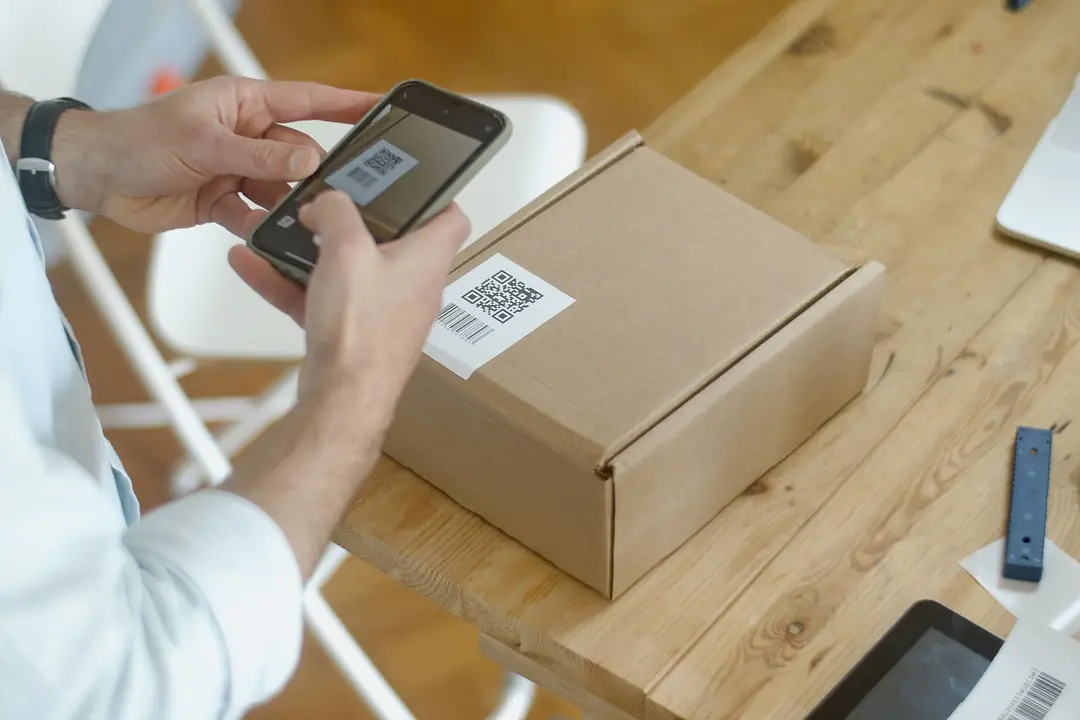
The QR-bill is the standard format for Swiss invoices that include a payment slip. It replaced the old orange and red payment slips and holds all the payment details in a Swiss QR Code that banking apps can scan directly. For small businesses it is part of everyday life, yet there are changes in 2025 and 2026 you should know about.
How a QR-bill is structured
A QR-bill consists of the invoice itself and a payment part with a receipt. The payment part is A6 landscape (148 x 105 mm), with the receipt to its left. The payment part contains:
- the Swiss QR Code, with a Swiss cross in the centre,
- the account (IBAN or QR-IBAN) and the payee,
- a reference, if used,
- additional information, such as the invoice number,
- the payer,
- the currency and amount.
Only CHF and EUR are allowed. The amount must be between 0.01 and 999,999,999.99. If the amount is left blank, for donations for instance, the payer can fill it in.
If you send a QR-bill as a PDF, the payment part and receipt must be separated by lines, with a scissors symbol or the note "Separate before paying in" ("Vor der Einzahlung abzutrennen"). PDF invoices are meant for e-banking and mobile banking, not for paying at a post office counter.
Three options: which account, which reference?
| Option | Account | Reference | Typical use |
|---|---|---|---|
| QR-IBAN with QR reference | QR-IBAN | 27 digits (26 plus a check digit) | high invoice volumes, automatic payment matching, CHF only |
| IBAN with Creditor Reference | standard IBAN | ISO 11649, starts with "RF", 5 to 25 characters | automatic matching, CHF and EUR |
| IBAN without a reference | standard IBAN | none, message only | few invoices, manual matching |
The QR-IBAN is a special account number your bank provides on request. You can recognise it by the institution ID in the range 30000 to 31999. A QR-IBAN only works with a QR reference and only for incoming payments.
The Creditor Reference is an international standard. You can use it with your normal IBAN and still get a unique reference that your accounting software can match automatically.
Without a reference, the payment still arrives, but your bookkeeping has to match it by amount, name and message. That is manageable with a handful of invoices a month, but it becomes tedious once you reach a few dozen.
Since November 2025: structured addresses only
Since 22 November 2025, version 2.3 of the Swiss Implementation Guidelines for the QR-bill has applied. The key change is that the QR code now only accepts structured addresses, known as address type "S". Street, house number, postcode, town and country go into separate fields rather than two free-text address lines. This applies to your own address and to your customer's.
At the same time, the permitted character set was extended. More umlauts and diacritics are now allowed, in line with the characters the federal administration accepts in its register of persons.
What this means for you:
- Invoicing software and QR generators had to be updated by 21 November 2025. Invoices with unstructured addresses are only processed for a short transition period.
- If you give customers several QR-bills in advance, for rent or lease instalments for example, you should reissue them.
- Banks must clean up existing standing orders and templates by 13 November 2026 at the latest, so check the payment templates saved in your e-banking.
- Customer master data should hold postcode, town and country in separate fields so your software can build a structured address from them.
From 14 November 2026: new rules for euro invoices
Version 2.4 of the Implementation Guidelines applies from 14 November 2026 and comes in with the 13 November 2026 release of the SIC payment system. The background is the discontinuation of euroSIC.
Technically, nothing changes for invoices in CHF. For invoices in EUR, only two combinations remain:
- IBAN with Creditor Reference (SCOR),
- IBAN with an unstructured message.
From then on, the QR-IBAN and QR reference are reserved for invoices in Swiss francs. Euro payments will be processed in whatever way your bank offers, for example as SEPA transfers. If you currently send euro invoices with a QR-IBAN, switch your templates now. According to SIX, version 2.3 will be supported until November 2027, but it is easy to make the switch early.
Invoices and VAT: what else must appear
The QR-bill only governs the payment part. If you are registered for VAT, the invoice itself must contain further details. Under Art. 26 of the Swiss VAT Act (MWSTG), these are usually:
- the supplier's name and location, plus their VAT number,
- the recipient's name and location,
- the date or period of supply, if different from the invoice date,
- the type, subject and scope of the supply,
- the consideration (price),
- the tax rate and the tax amount; if the tax is included in the price, the rate alone is enough.
A common mistake: the QR-bill is technically correct, but the VAT number is missing from the invoice. Your customer then cannot properly reclaim the input tax.
QR-bill, eBill and e-invoicing
A QR-bill can serve as the basis for an eBill. With eBill, customers see the invoice directly in their e-banking and approve it there. For businesses with many private customers, this saves postage and data entry.
If you supply the federal administration, you must submit invoices electronically, either as a PDF by email or as a structured data file through a service provider. Small purchases are exempt from this requirement.
Processing incoming QR-bills
The QR-bill makes life easier not only when you invoice, but also in accounts payable. When you scan the QR code, the account, amount, reference and payee are picked up automatically, so there are no more IBAN typos.
A few points still deserve attention:
- Update your scanning tools: since 22 November 2025, handheld scanners and PDF reading software must also handle QR-bills with the extended character set. Otherwise older devices will fail on umlauts or special characters.
- Check the payee: fake invoices with someone else's IBAN do happen. For new suppliers or changed bank details, compare the data with earlier invoices or call to confirm.
- Link invoice and payment: store the supplier's reference against the supplier in your accounts. That way you can match the debit on your bank statement unambiguously later.
Checklist for your QR-bills
- Your own address and customer addresses are stored in structured form (street, number, postcode, town and country in separate fields).
- You have chosen the right combination of account and reference.
- From 14 November 2026, euro invoices carry no QR-IBAN or QR reference.
- The invoice number is in the additional information or encoded as the reference.
- The invoice shows the VAT details required by Art. 26 MWSTG.
- In PDFs: separation lines with a scissors symbol or the note.
- You have checked the payment templates saved in your e-banking.
Buchsnap creates QR-bills with a structured address and reference, and matches incoming payments to the open invoice automatically via the reference. That matching is the real benefit of the QR-bill: if you use references consistently, you will hardly ever have to match incoming payments by hand.
Last updated: October 2026. This article does not replace individual advice.
Frequently asked questions
Do I need a QR-IBAN to issue a Swiss QR-bill?
No. You only need a QR-IBAN if you use a QR reference. With your normal IBAN you can issue QR-bills without a reference or with a Creditor Reference (RF reference).
What is a structured address on a QR-bill?
With a structured address (address type "S"), street, house number, postcode, town and country go into separate fields. Since 22 November 2025, only structured addresses are allowed in the Swiss QR Code.
What changes for QR-bills on 14 November 2026?
Version 2.4 of the Implementation Guidelines applies. Technically, nothing changes for CHF invoices. For EUR invoices, only an IBAN with Creditor Reference or an IBAN with an unstructured message is possible; the QR-IBAN and QR reference are reserved for CHF.
Which currencies can a QR-bill be issued in?
Only Swiss francs and euros. The amount must be between 0.01 and 999,999,999.99.
Can I send a QR-bill as a PDF by email?
Yes. The payment part and receipt must then be separated by lines, with a scissors symbol or the note "Separate before paying in" ("Vor der Einzahlung abzutrennen"). PDF invoices are meant for payment via e-banking and mobile banking.
Does the QR-bill replace the VAT details on an invoice?
No. The payment part only contains payment data. Businesses registered for VAT must also include the details required by Art. 26 MWSTG on the invoice, in particular the VAT number, tax rate and tax amount.
Sources
- SIX: QR-Rechnung (QR-bill overview)
- SIX: Schweizer Implementation Guidelines QR-Rechnung, Version 2.4 (PDF) (technical specification of the QR-bill, version 2.4)
- SIX: Merkblatt QR-Rechnung, Übergangsfrist 2025 bis 2026 für KMU (PDF) (fact sheet on the 2025–2026 transition period for SMEs)
- Fedlex: Mehrwertsteuergesetz, Art. 26 MWSTG (Swiss VAT Act, invoice requirements)
- EFV: Elektronische Rechnungen stellen und empfangen (Federal Finance Administration: sending and receiving e-invoices)
- #QR-bill
- #QR-IBAN
- #payments
- #eBill
- #invoicing
Are you an accountant?
Buchsnap is free for accounting firms. Your clients send receipts through the app, you do the bookkeeping.
Sign up free →